
Graph Visualization
Visualize your graph in Jupyter notebooks, Google Colab, or as HTML files.
CogDB can render your graph as an interactive D3.js visualization.
Creating a Graph
from cog.torque import Graph

g = Graph("people")
g.put("alice", "follows", "bob")
g.put("bob", "follows", "fred")
g.put("bob", "status", "cool_person")
g.put("charlie", "follows", "bob")
g.put("charlie", "follows", "dani")
g.put("dani", "follows", "bob")
g.put("dani", "follows", "greg")
g.put("dani", "status", "cool_person")
g.put("emily", "follows", "fred")
g.put("fred", "follows", "greg")
g.put("greg", "status", "cool_person")
Quick Visualization with show()
The simplest way to visualize a traversal in a Jupyter or Colab notebook or from command line is using show().
g.v().out("follows").show()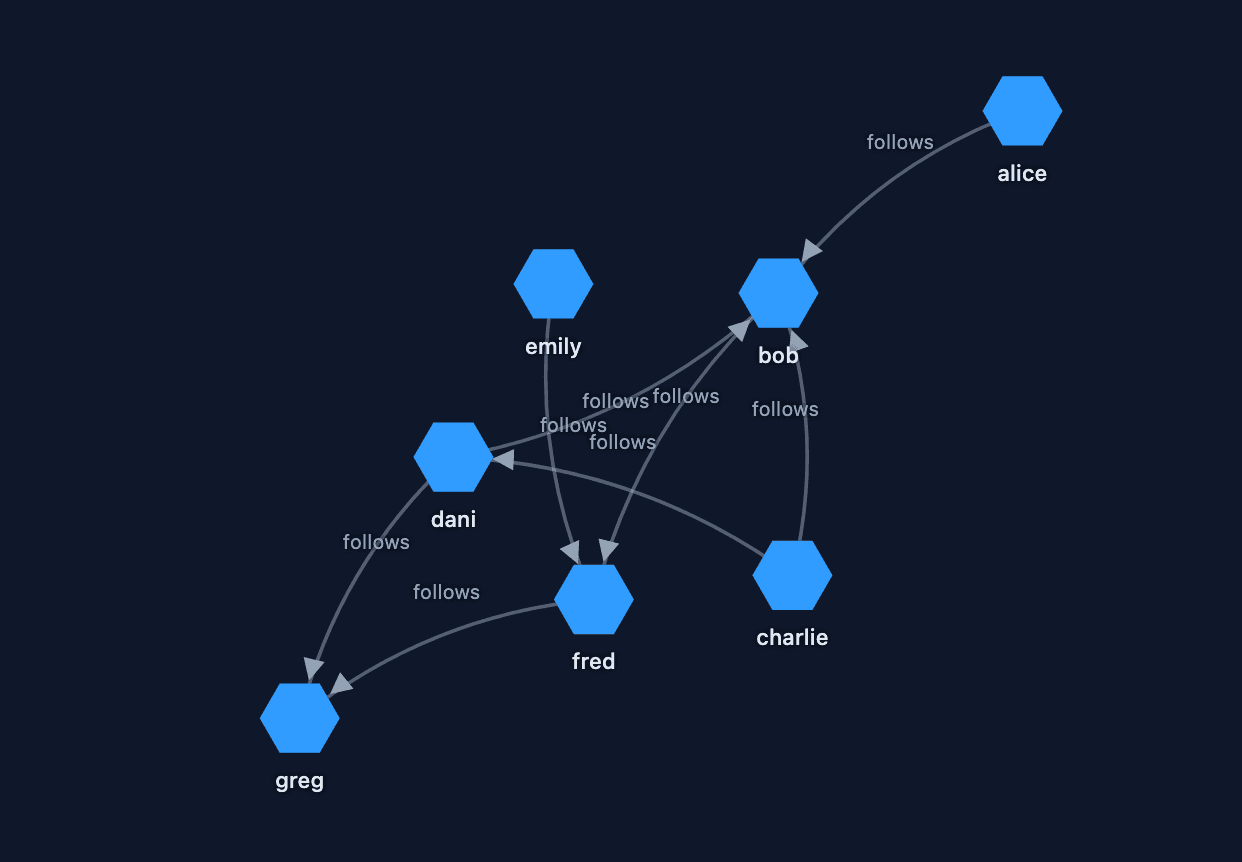
You can interact with the graph. For example, clicking on a node like "bob" will highlight its connections:
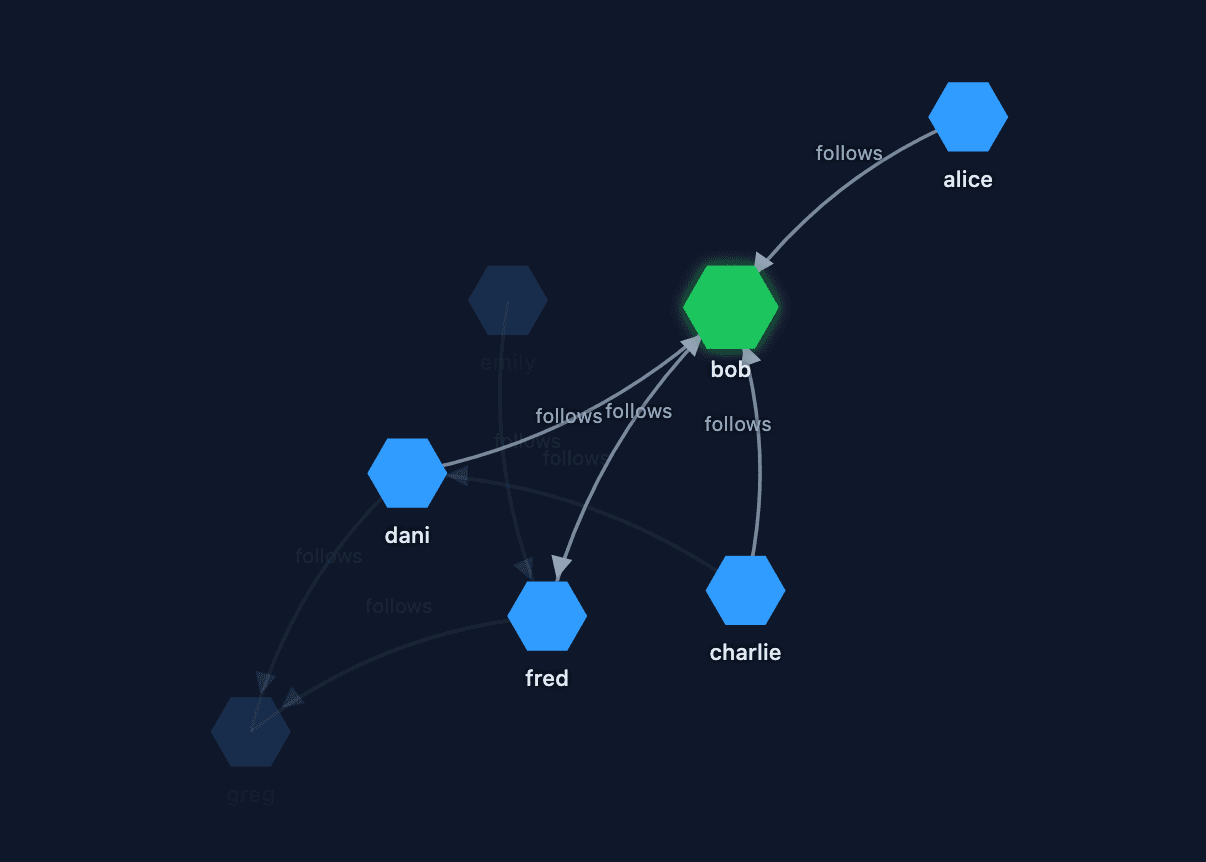
show() renders the graph inline in notebooks without saving any file to disk. On command line it opens the graph in your default web browser.
Optional parameters:
| Parameter | Default | Description |
|---|---|---|
| height | 500 | Height of the rendered view in pixels |
| width | 700 | Width of the rendered view in pixels |
| dark | False | Use dark background theme |
g.v().out("follows").show(height=600, width=900, dark=True)Visualization with view() and render()
For more control, including saving the graph as an HTML file, use view() followed by render():
g.v().tag("from").out("follows").tag("to").view("follows").render()render() auto-detects the environment:
- Jupyter / Google Colab: renders the graph inline in the notebook.
- Terminal / script: opens the graph in your default web browser. Falls back to printing the file path on headless servers.
render() accepts the same height, width, and dark parameters as show().
Visualization Steps (using view)
tag("from"): Tag the source nodes.out("follows"): Traverse the relationshiptag("to"): Tag the destination nodes.view("follows"): Create a view with the edge label.render(): Render in Jupyter/Colab or open in browser
Required Tags for view()
When using .view(), you must use specific tag names:
| Tag Name | Purpose |
|---|---|
from | Identifies the source node of each edge |
to | Identifies the target node of each edge |
Important Notes:
- Tag names are case-sensitive, use lowercase
fromandto - Both tags are required, the view needs both to draw edges between nodes
- Order matters,
fromshould mark the source vertex andtoshould mark the destination vertex in your traversal - Other tags are ignored, you can add additional tags, but only
fromandtoare used for rendering
show() does not require from/to tags — it infers the graph structure automatically from the traversal result.
Save to HTML File
view() saves an HTML file by default. To get the file path or disable saving:
# Save to file and get the path
viz = g.v().tag("from").out("follows").tag("to").view("follows")
print(viz.url)  # Path to the HTML file

# Skip saving to disk
viz = g.v().tag("from").out("follows").tag("to").view("follows", persist=False)